

Top 5 Shopify Tweaks to Unblock ChatGPT Traffic & Boost SEO

About the Author:
Benjamin Golden
Serial eCommerce Entrepreneur with $29.6M in sales with Shopify SEO.
Published by Benjamin Golden on June 16th, 2025
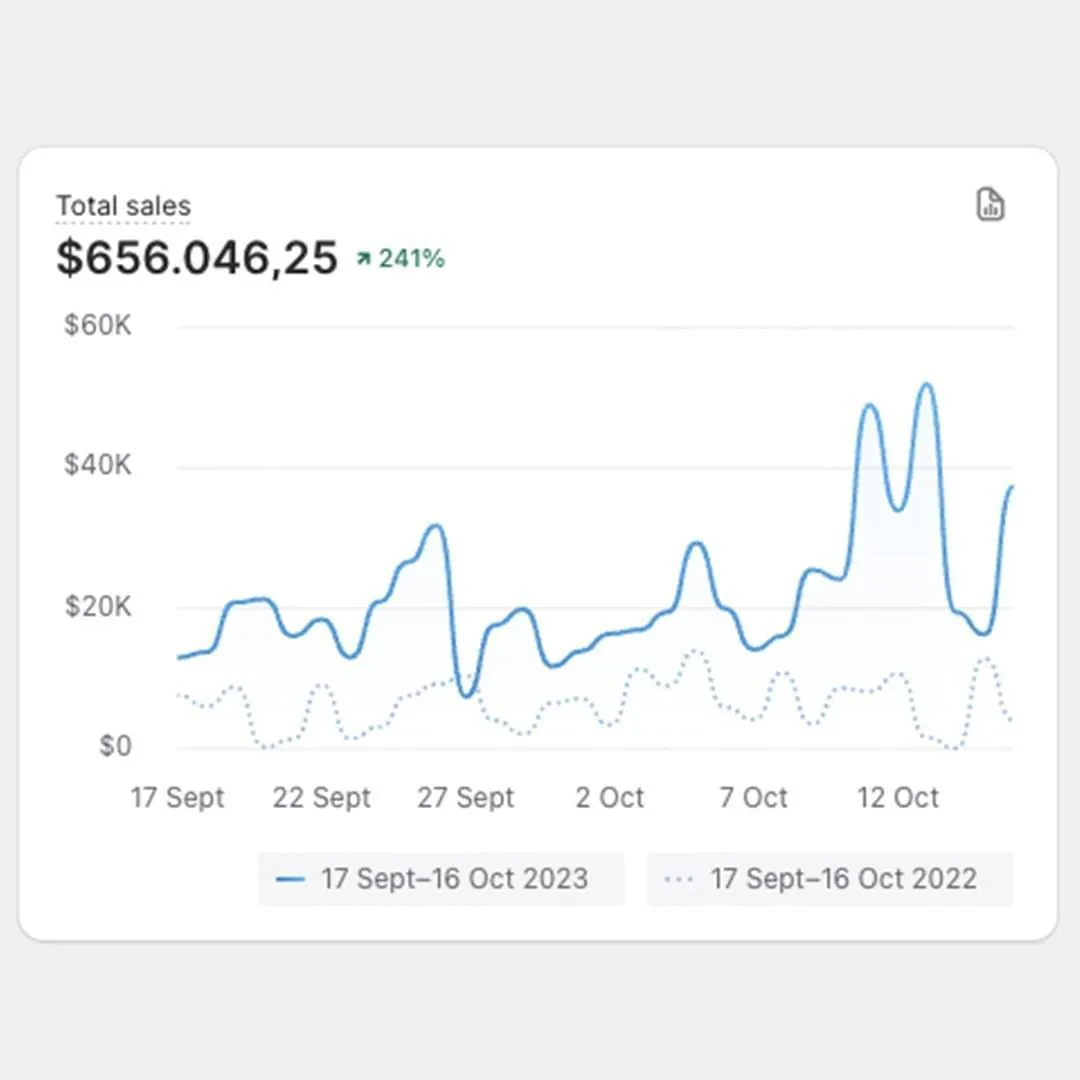
In the last 30 days, one of our Shopify stores has generated over $22,120 in additional revenue, all with free traffic from ChatGPT.
Below are the 5 Shopify Tweaks you can apply to your store today to unblock ChatGPT and have it start working for you, so that your products and content gets featured in ChatGPT.

And that's exactly what will allow you to start generating not just traffic, but also sales for your Shopify store, all from ChatGPT, and other AI Chatbots.
But before we jump into the tweaks, here's a little bit about me...
In the past 2 years, I generated over $29.6M in Shopify sales using free SEO traffic all with the goal of depending less on paid ads.
But for the last few months, my entire focus has been on testing and figuring out how to optimize my Shopify stores to get them featured in ChatGPT.
After month's of testing, we finally cracked it and managed to generate over $22,120 in Shopify sales, all from AI Chatbots.
And sure, you might be thinking, why are you so pumped about $22k in extra sales, when you made $29.6M with SEO?

I'm pumped because AI Chatbots are the future of organic traffic.
And being one of the first to figure out how to rank in ChatGPT gives me a strong competitive advantage.
At the moment, my core focus is applying all of the tweaks below to my Shopify stores, as well as those of my clients in order to ensure they're all fully optimized for the future of AI search.
#5: Whitelist ChatGPT and AI Chatbots in robots.txt
Robots.txt is a file in your Shopify store, that acts like a security guard, when it comes to search engine crawlers.
Its job is to control which crawlers can access your Shopify store, and which should be blocked.
Unfortuntately, the default Shopify robots.txt file currently blocks ChatGPT and other AI Chatbots, which is directly negatively impacting your Shopify store's visibility.
To resolve this, you need to add a specific piece of code to your robots.txt file in Shopify that whitelists AI Chatbots, so that your store can get featured in ChatGPT and AI answers, from which you can then generate traffic and sales.
The code and information about the step-by-step instructions are available at the bottom of the page.

#4: Leveraging product schema for higher CTR
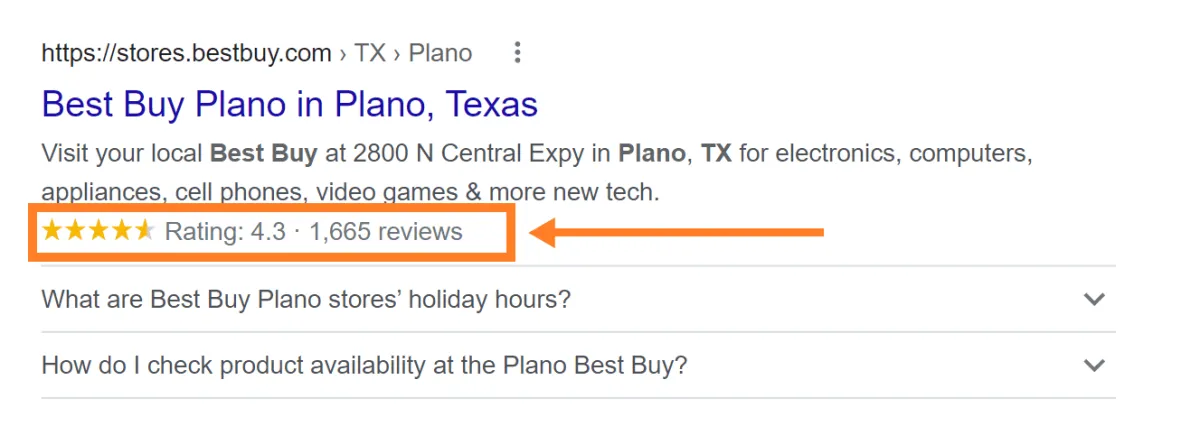
Product schema is a piece of code that gets added to your Shopify product template, which allows Google to crawl your product reviews.
By adding this code, you’ll be able to display customer reviews on your ORGANIC search results, and with that dramatically boost your click-through rates…
As a result of the increase in click-through rates, Google will naturally move you up in the ranking positions, which results in more clicks.
More clicks trigger even higher click-through rates, which creates a cycle that allows you to naturally climb all the way to the top of page 1.

#3: Unoptimized Google Index
Shopify is an amazing platform to build your store on, but at the same time, some of their SEO practices are completely out of date.
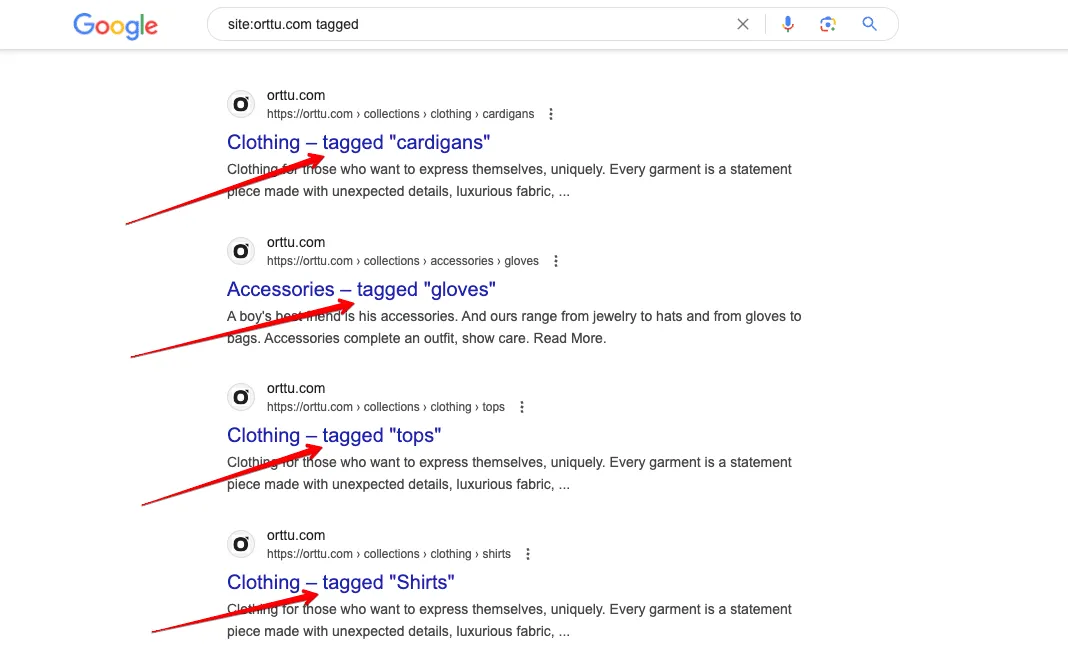
The problem with Shopify is that it automatically creates a bunch of duplicated, low-quality pages - such as paginated pages, tagged pages, collections filters, and more.
The reason why this is an issue is because these pages aren’t customizable - you can’t even edit their meta titles, which means they’re nothing more than low-quality, duplicated pages.
When it comes to Google, it’s CRUCIAL to only index high-quality pages, optimized for specific keywords.
By indexing low-quality pages, you’re directly negatively affecting pages that are actually optimized for specific keywords.
Hiding low-quality pages by setting them to no index is essential.

#2: INDEX,FOLLOW code added as a robots tag?
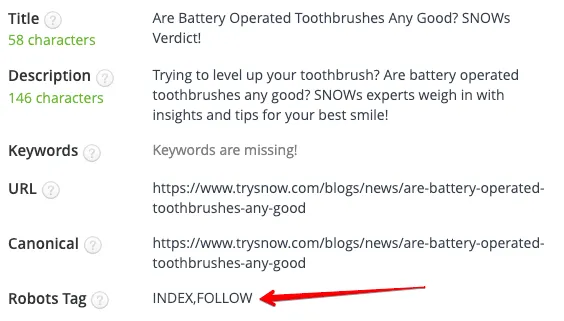
As soon as the Google crawler lands on your site, one of the first things it checks is your meta robots tag.
A meta robots tag indicates if a page should be read/indexed by the crawler, or not.
You want all your high-quality pages indexed and processed by the crawl, however the problem is that the vast majority of Shopify stores are missing this tag.
I noticed that Shopify stores without this tag experience slower and inconsistent indexing rates by Google, which makes it more difficult to rank.
All you need to do is add the appropriate tag to your Shopify theme.liquid - the entire process is explained below in the Shopify SEO Checklist.

Want #1 and step-by-step implementation instructions?
Click the button below and grab the Shopify SEO Checklist with all of the 115 Quick-Wins, as well as step-by-step implementation instructions, so you can optimize your Shopify store and maximize its visibility today.
The Shopify SEO Checklist is used by thousands of Shopify entrepreneurs to optimize their stores, and currently available at a 70% discount for a limited time!
About the Author:
Benjamin Golden
Serial eCommerce
Entrepreneur with $29.6M in
sales with Shopify SEO.